
Nov 25th 2026
How to Deploy Minn Kota Ulterra With Remote: Step-by-Step Guide
How to Deploy Minn Kota Ulterra With Remote
If you own a Minn Kota Ulterra trolling motor, one of its best features is the ability to lower it into the water without leaving your seat. You don't have to walk to the front of the boat or lower the motor by hand. Just use your remote, and the motor does the work for you.
But if you're using the Ulterra for the first time, figuring out which buttons to press can be a little confusing.
In this guide, we'll explain how to deploy Minn Kota Ulterra with remote, how to bring the motor back up, and what to check if your remote isn't working.
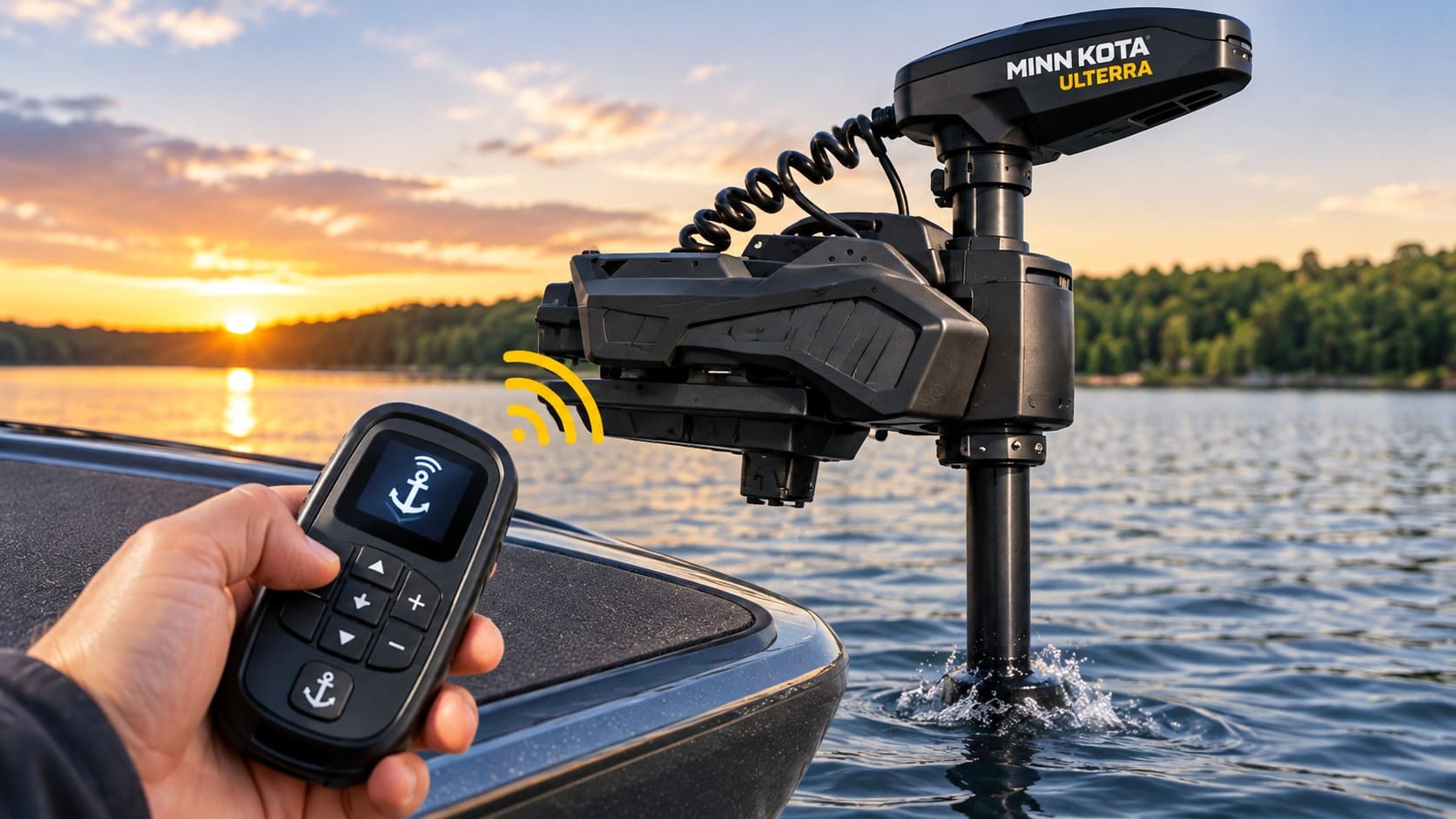
If you own a Minn Kota Ulterra trolling motor, one of its best features is the ability to lower it into the water without leaving your seat. You don't have to walk to the front of the boat or lower the motor by hand. Just use your remote, and the motor does the work for you.
But if you're using the Ulterra for the first time, figuring out which buttons to press can be a little confusing.
In this guide, we'll explain how to deploy Minn Kota Ulterra with remote, how to bring the motor back up, and what to check if your remote isn't working.
How to Deploy Minn Kota Ulterra With Remote
The Minn Kota Ulterra comes with an automatic stow and deploy feature. This means you can raise and lower the trolling motor with a compatible remote instead of doing it manually.
The exact steps depend on whether you have an i-Pilot, i-Pilot Link, or newer Advanced GPS remote.
Before you start, make sure your boat is in the water, the trolling motor has power, and nothing is blocking the motor's path.
1. Deploying Ulterra With an i-Pilot Remote
If your Ulterra has the older Bluetooth i-Pilot remote with a screen, follow these steps:
- Turn on the trolling motor. Check that the green system-ready light on the motor base is on.
- Turn on your remote. Make sure it's connected to the trolling motor.
- Press the Home button. This takes you to the remote's main screen.
- Find the Deploy option. Use the Menu Up or Menu Down buttons to scroll through the options.
- Select Deploy. Double-press the right softkey to start lowering the motor.
- Let the motor lower into the water. Wait until the deployment is finished before using the propeller.
That's it! Your Ulterra should now be ready to use.
If your remote looks different, check the instructions for your model below.
2. Deploying Ulterra With an i-Pilot Link Remote
The i-Pilot Link remote has a touchscreen, so the process is slightly different.
- Turn on your Ulterra trolling motor.
- Press the Home button on your remote.
- Look for the Ulterra option on the screen.
- Tap Ulterra to open the motor controls.
- Find the Deploy button.
- Double-press Deploy to begin lowering the motor.
- Wait for the motor to finish deploying.
Once the motor is fully lowered, you can use your remote to control the speed, steering, and other available features.
Tip: If you don't see the Ulterra option right away, scroll through the remote's home screen buttons.
3. Deploying Ulterra With a Newer Advanced GPS Remote
Newer Ulterra and Ulterra QUEST models use the Advanced GPS Navigation remote.
Here's how to deploy the motor using the remote's menu:
- Make sure the trolling motor is powered on.
- Press the Power button on the remote to open its menu.
- Use the Speed Up or Speed Down button to find Ulterra.
- Press the Steer Right button to select Ulterra.
- Find Deploy and press Steer Right again to select it.
- The trolling motor will start lowering automatically.
- Wait until the motor finishes moving before operating it.
Some updated Advanced GPS remotes also let you deploy the motor by double-pressing the side button, so you may not need to open the menu each time.
How to Stow Minn Kota Ulterra With Remote
When you're finished fishing, you'll need to bring the trolling motor back onto the boat. This is called stowing.
The Ulterra can do this automatically, too.
For older i-Pilot remotes, press Home, find the Stow option, and select it using the right softkey.
For i-Pilot Link remotes, open the Ulterra menu on the touchscreen and select Stow.
For newer Advanced GPS remotes, open the Power menu, select Ulterra, and choose Stow. Updated remotes may also let you stow the motor with a single press of the side button.
Watch the motor as it lifts out of the water. Make sure the shaft and motor head have enough room to move without hitting anything.
Always let the stowing process finish before moving the boat at higher speeds.
What If Your Minn Kota Ulterra Remote Won't Deploy the Motor?
Sometimes you press Deploy, but nothing happens. Before assuming something is broken, there are a few simple things worth checking.
Check the Trolling Motor Battery
The Ulterra needs enough battery power to lower and raise itself.
If the battery is low, the motor might not respond or may stop partway through the process.
Check your trolling motor battery's charge and connections. Recharge it if needed.
Check the Remote Battery
If your remote isn't turning on or responding, the battery could be the problem.
Recharge the remote or replace its batteries, depending on the model you have.
Then try deploying the motor again.
Make Sure the Remote Is Connected
Your Ulterra remote needs to be paired with the trolling motor.
If the remote has lost its connection or you've replaced it, you may need to pair it again.
The pairing steps vary between older i-Pilot systems and newer Advanced GPS models, so check the instructions for your particular remote.
Look for Something Blocking the Motor
Check around the trolling motor mount before trying again.
A rope, fishing line, boat cover, or other object might be getting in the way.
Make sure the motor has enough space to move freely. Never force the shaft or motor head into position.
Make Sure You Have the Right Remote
Not every Minn Kota remote can deploy an Ulterra.
For example, the small Minn Kota Micro Remote does not have the controls needed to automatically stow or deploy an Ulterra.
If you're using a replacement remote, check that it's compatible with your motor's year and control system.
If you've checked everything and the motor still won't deploy, it's best to have it inspected rather than repeatedly trying to force it to move.
Can You Deploy a Minn Kota Ulterra Without the Remote?
Yes. If your remote is missing, has a dead battery, or isn't working, you can still deploy the Ulterra with its compatible foot pedal.
Here's how:
- Turn on your trolling motor.
- Find the Mode button on the foot pedal.
- Press Mode to switch the pedal into Ulterra or Deployment Mode.
- Double-press the Stow/Deploy button.
- Wait while the motor automatically lowers into the water.
To raise the motor again, press the Stow/Deploy button once while the pedal is in the correct mode.
You can also use a compatible Minn Kota mobile app on supported models.
Keep in mind that the power button on the motor base is not a normal deploy button. On supported models, it can be used for certain emergency stowing procedures, but it won't deploy the motor.
Tips for Using Your Minn Kota Ulterra
A few simple habits can help you avoid problems with your trolling motor.
- Check the water depth. Make sure there's enough water below your boat before deploying the motor.
- Keep the mount clear. Remove ropes, fishing line, and anything else that could interfere with the motor.
- Watch the motor move. Don't put your hands near the moving parts while the motor is deploying or stowing.
- Keep your batteries charged. Low power can cause problems with automatic stowing and deploying.
- Adjust the motor depth. Once deployed, use the trim controls to set the right depth for the water conditions.
- Stow before heading back. Always make sure the motor is fully raised and secured before running your main outboard at speed.
These small checks can save you from dealing with a stuck motor when you'd rather be fishing.
Frequently Asked Questions
What button deploys the Minn Kota Ulterra?
It depends on your remote. Older i-Pilot remotes use the Deploy option in the Home menu. i-Pilot Link remotes use the Ulterra touchscreen menu. Newer Advanced GPS remotes use the Ulterra menu, while updated versions can also use the side button.
Do you have to press Deploy twice on a Minn Kota Ulterra?
On older i-Pilot and i-Pilot Link remotes, you double-press the Deploy selection to start lowering the motor. On newer Advanced GPS remotes, you can select Deploy from the menu. Updated models may also use a double-press of the side button.
Why won't my Ulterra deploy with the remote?
Common reasons include a low battery, a remote connection problem, an incompatible remote, or something blocking the motor. Check these first. If the motor still won't move, it may need service.
Can I use my phone to deploy my Minn Kota Ulterra?
Yes, certain Ulterra models work with Minn Kota's compatible mobile apps. Newer models support the One-Boat Network system. Make sure your motor and phone app are compatible before trying to use this feature.
Can a Minn Kota Micro Remote deploy an Ulterra?
No. The Micro Remote can control features such as steering, speed, and Spot-Lock on compatible systems, but it doesn't have Ulterra stow and deploy controls.
Need Help With Your Minn Kota Ulterra? Visit Channel Marine & Sports
Learning how to deploy your Minn Kota Ulterra with a remote is pretty simple once you know which controls to use.
If your trolling motor won't deploy, your remote isn't connecting, or something doesn't seem right, don't keep forcing it.
At Channel Marine & Sports in Richmond, MN, we help local boat owners with trolling motor service, repairs, and installation.
We're an authorized Minn Kota warranty repair center, and we serve boaters in Richmond, St. Cloud, and the surrounding Central Minnesota area.
Whether you're getting your fishing boat ready for the season or dealing with a motor that stopped working, we're here to help.
Contact Channel Marine & Sports